Noon UAE Coupon DEC724: Apple iPad Storage, Keyboard and Study Buying Guide
Short answer
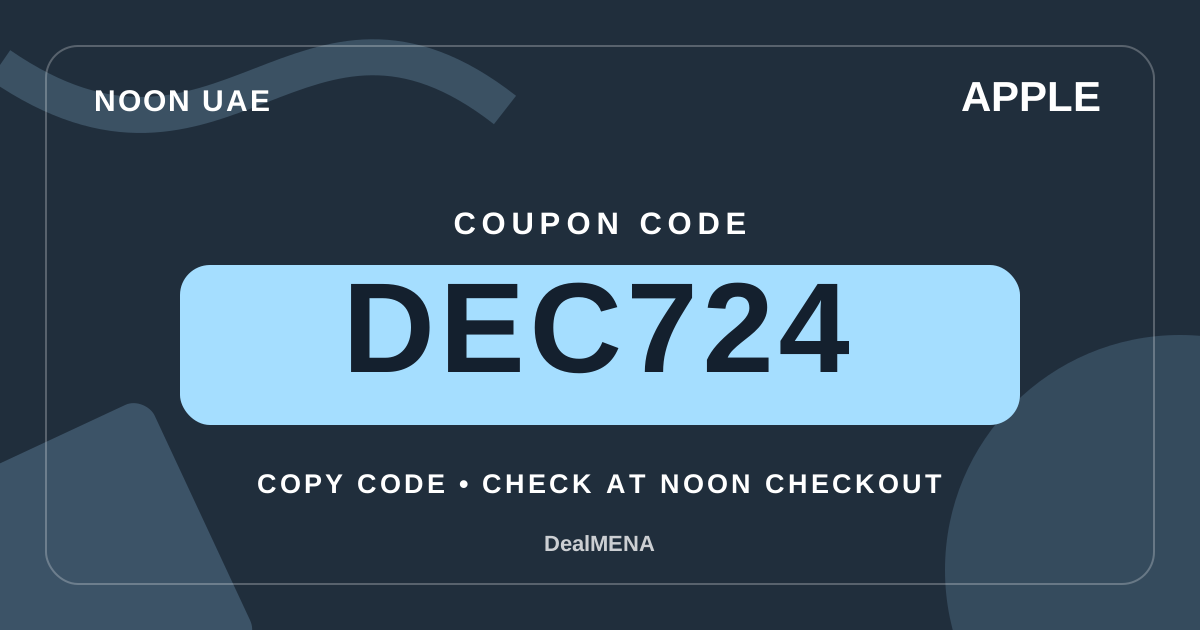
Coupon to try
Coupon eligibility can vary by product, seller, account and campaign. Confirm the result in the Noon UAE basket before payment.
Verification: awaiting a recorded checkout result; test eligibility in your basket. How we verify
Details & how to use →Visit Noon UAE ↗A practical Noon UAE guide to choosing an Apple iPad for studying, note-taking and everyday mobile work, including model comparisons, important compatibility questions, seller checks and a transparent DEC724 basket check without assumed savings.
Quick facts
| Field | Value |
|---|---|
| Market | UAE |
| Brand | Apple |
| Coupon | DEC724 |
| Use case | choosing an Apple iPad for studying, note-taking and everyday mobile work |
| Model check | Screen size and study environment |
| Critical detail | Storage choices and file habits |
| Key risk | Keyboard compatibility |
| Final check | Seller, warranty, delivery and basket message |
Decision matrix
| Criterion | How to read it | Practical decision |
|---|---|---|
| Screen size and study environment | Compare the actual dimensions, weight and viewing area of iPad models rather than relying only on the generation name. A large screen may help split-view reading but can be awkward on a crowded lecture desk. | Think about whether the tablet will spend more time handheld on public transport, on a stand at home or beside a laptop in a university library. |
| Storage choices and file habits | Estimate the space required for downloaded lectures, textbooks, photos, creative projects and offline video before selecting a capacity. Cloud storage does not automatically replace dependable local space for travel. | Consider the time spent managing files and your connectivity in classrooms and on the commute; avoiding constant cleanup may be worth more than a modest difference in capacity. |
| Keyboard compatibility | Check the exact iPad model and keyboard generation for physical, connector and layout compatibility. Similar-looking keyboards and cases can differ in dimensions and the way they attach. | If you type long essays, compare key travel, viewing angles, desk stability and Arabic or English layout needs before assuming a bundled case is a productive workstation. |
| Pencil and handwriting | Verify stylus compatibility with the precise iPad model, including charging and pairing method, rather than treating the word Pencil as a universal accessory. | Handwritten equations, markup and sketching feel different from keyboard notes, so identify your main tasks and the apps you already use before purchasing. |
| Wi-Fi and cellular choices | Decide whether phone tethering and campus Wi-Fi cover your routine or whether independent mobile connectivity changes how you work. Cellular versions can also introduce plan-related costs. | Check local network compatibility and the exact variant offered by the seller, not just a generic connectivity icon in a product listing. |
| Battery and charging routine | Published battery estimates depend on test conditions. Screen brightness, video calls, accessories and multitasking can noticeably change usage between charging sessions. | Map your longest class day and available power outlets; also check charging connector compatibility and whether the listing includes the accessories you expect. |
| Apps and course requirements | List the applications, file types and examination platforms required by your institution. A tablet can handle many reading and annotation tasks without replacing a computer for every course. | Ask specifically about specialist desktop software, external display needs and file-management requirements before making a device your only study computer. |
Evidence & transparency ledger
| Information | Status | Meaning |
|---|---|---|
| Screen size and study environment | Model-specific or basket-dependent | Think about whether the tablet will spend more time handheld on public transport, on a stand at home or beside a laptop in a university library. |
| Storage choices and file habits | Model-specific or basket-dependent | Consider the time spent managing files and your connectivity in classrooms and on the commute; avoiding constant cleanup may be worth more than a modest difference in capacity. |
| Keyboard compatibility | Model-specific or basket-dependent | If you type long essays, compare key travel, viewing angles, desk stability and Arabic or English layout needs before assuming a bundled case is a productive workstation. |
| Pencil and handwriting | Model-specific or basket-dependent | Handwritten equations, markup and sketching feel different from keyboard notes, so identify your main tasks and the apps you already use before purchasing. |
| Wi-Fi and cellular choices | Model-specific or basket-dependent | Check local network compatibility and the exact variant offered by the seller, not just a generic connectivity icon in a product listing. |
| Battery and charging routine | Model-specific or basket-dependent | Map your longest class day and available power outlets; also check charging connector compatibility and whether the listing includes the accessories you expect. |
| Apps and course requirements | Model-specific or basket-dependent | Ask specifically about specialist desktop software, external display needs and file-management requirements before making a device your only study computer. |
Pre-checkout checklist
- Verify Screen size and study environment: Compare the actual dimensions, weight and viewing area of iPad models rather than relying only on the generation name. A large screen may help split-view reading but can be awkward on a crowded lecture desk.
- Verify Storage choices and file habits: Estimate the space required for downloaded lectures, textbooks, photos, creative projects and offline video before selecting a capacity. Cloud storage does not automatically replace dependable local space for travel.
- Verify Keyboard compatibility: Check the exact iPad model and keyboard generation for physical, connector and layout compatibility. Similar-looking keyboards and cases can differ in dimensions and the way they attach.
- Verify Pencil and handwriting: Verify stylus compatibility with the precise iPad model, including charging and pairing method, rather than treating the word Pencil as a universal accessory.
- Verify Wi-Fi and cellular choices: Decide whether phone tethering and campus Wi-Fi cover your routine or whether independent mobile connectivity changes how you work. Cellular versions can also introduce plan-related costs.
- Verify Battery and charging routine: Published battery estimates depend on test conditions. Screen brightness, video calls, accessories and multitasking can noticeably change usage between charging sessions.
- Verify Apps and course requirements: List the applications, file types and examination platforms required by your institution. A tablet can handle many reading and annotation tasks without replacing a computer for every course.
- Verify Warranty and regional specifications: Check the model number, seller identity, included accessories, warranty handling and return terms shown on the UAE listing before checkout.
- Verify Checkout with the coupon: Compare the complete order including delivery and any required keyboard or stylus. Enter DEC724 in the Noon UAE basket and read the resulting eligibility message.
- Confirm the UAE seller and the warranty terms for Apple.
- Enter DEC724 in the Noon UAE basket and read the resulting message.
Quick steps
- Identify the daily task and the few specifications that genuinely matter.
- Compare two Apple listings by exact variant and included parts.
- Review UAE seller, warranty and delivery terms before any coupon step.
- Apply DEC724 inside the Noon UAE basket and assess the displayed payable total.
Before you compare: define the real task
A sensible purchase on Noon UAE starts with the specific job a product must do, not with an assumed coupon saving. Brand families may contain different revisions, bundles, regional specifications and accessories. A name that looks identical across two listings is not enough to prove that their contents or warranty conditions match. This guide uses a practical comparison method: record what matters for your use, narrow the model choices, verify the exact listing and only then enter the coupon. No discount percentage or eligibility is presumed before the basket shows a result.
For UAE shoppers, seller identity, warranty wording, delivery arrangements and the precise configuration can change the value of an otherwise similar item. Begin with your daily routine and the constraints of your room, commute, work or study. Identify what would cause frustration after a week of ownership, and write down the questions that remain unanswered in the listing. Treat an unverified detail as something to investigate, rather than a feature you silently assume is present.
1. Screen size and study environment
Compare the actual dimensions, weight and viewing area of iPad models rather than relying only on the generation name. A large screen may help split-view reading but can be awkward on a crowded lecture desk. Set a realistic use scenario and record the specification you can verify for each exact model. A missing detail should remain an open question instead of silently becoming an assumed feature.
Think about whether the tablet will spend more time handheld on public transport, on a stand at home or beside a laptop in a university library. Record your finding before moving to the next criterion. Check the variant identifier and package contents, then ask a focused question if essential information is missing from the listing.
2. Storage choices and file habits
Estimate the space required for downloaded lectures, textbooks, photos, creative projects and offline video before selecting a capacity. Cloud storage does not automatically replace dependable local space for travel. Separate the marketing term from the behavior you will notice in day-to-day use. Compare individual variants rather than extending a broad family description to every item.
Consider the time spent managing files and your connectivity in classrooms and on the commute; avoiding constant cleanup may be worth more than a modest difference in capacity. If the retailer description and brand documentation appear inconsistent, avoid guessing which version applies. Confirm the listed model and what will arrive before placing an order.
3. Keyboard compatibility
Check the exact iPad model and keyboard generation for physical, connector and layout compatibility. Similar-looking keyboards and cases can differ in dimensions and the way they attach. Begin with the situation where this feature matters most to you. Your environment and routine can change the usefulness of a capability, so review the specified variant carefully.
If you type long essays, compare key travel, viewing angles, desk stability and Arabic or English layout needs before assuming a bundled case is a productive workstation. Think through a realistic scenario that tests the importance of this requirement, including what it would cost or inconvenience you if the feature proved unsuitable.
4. Pencil and handwriting
Verify stylus compatibility with the precise iPad model, including charging and pairing method, rather than treating the word Pencil as a universal accessory. Write down one observable requirement and compare it directly across listings. A photograph or a prominent search position is not evidence that the product meets that requirement.
Handwritten equations, markup and sketching feel different from keyboard notes, so identify your main tasks and the apps you already use before purchasing. Model-level details are more reliable than general claims copied from a related product. Look for the same revision in any instructions, specifications or examples you consult.
5. Wi-Fi and cellular choices
Decide whether phone tethering and campus Wi-Fi cover your routine or whether independent mobile connectivity changes how you work. Cellular versions can also introduce plan-related costs. Consider this decision over a full week of realistic use rather than a brief showroom impression. Your own habits can matter more than a small catalog-number difference.
Check local network compatibility and the exact variant offered by the seller, not just a generic connectivity icon in a product listing. Maintain a short list of non-negotiable requirements and score each candidate against that list. This reduces the chance that temporary promotional wording distorts the comparison.
6. Battery and charging routine
Published battery estimates depend on test conditions. Screen brightness, video calls, accessories and multitasking can noticeably change usage between charging sessions. When two models look similar, verify the distinct documentation for each one, especially the included accessories and any limitations stated for the particular configuration.
Map your longest class day and available power outlets; also check charging connector compatibility and whether the listing includes the accessories you expect. If accessories are crucial, confirm them in the written bundle description rather than assuming that every item visible in a product photograph is included.
7. Apps and course requirements
List the applications, file types and examination platforms required by your institution. A tablet can handle many reading and annotation tasks without replacing a computer for every course. Do not interpret a broad product-family name as confirmation of every possible feature. Mark anything that still needs a model number, documentation or hands-on verification.
Ask specifically about specialist desktop software, external display needs and file-management requirements before making a device your only study computer. When a specification remains uncertain, check the manufacturer's instructions and the retailer's return terms. Resolving a mismatch after delivery can consume both time and money.
8. Warranty and regional specifications
Check the model number, seller identity, included accessories, warranty handling and return terms shown on the UAE listing before checkout. Keep the precise model identifier and relevant listing details as you research. This prevents a near-identical revision or region-specific bundle from being confused with your chosen item.
Do not infer service terms from another region or from an iPad with a similar marketing name; retain the product description and receipt. Apply the same measurement or test across alternatives. Different test conditions can create an unfair impression of a feature without proving that one product is more suitable.
9. Checkout with the coupon
Compare the complete order including delivery and any required keyboard or stylus. Enter DEC724 in the Noon UAE basket and read the resulting eligibility message. Look at this feature alongside the seller and after-sales conditions. Its practical value depends on the complete configuration actually offered to UAE customers.
If the code is rejected, calculate the order without the assumed reduction; the site cannot confirm a discount amount without the checkout result. Treat the amount payable, including delivery and the coupon result, as the final step after confirming that the product itself meets your needs.
Final decision and basket check
At checkout, confirm the UAE market, precise item and seller, delivery cost, and any accessory added to the order. Enter the stated coupon code in the Noon UAE basket and look at the actual total and eligibility message. If the platform does not accept the code, compare the payable amount without an assumed reduction. A code listed by an independent coupon site is not a promise of a specific saving for every account, seller or campaign.
When two tablets options remain close, return to model-specific capabilities and the support arrangements instead of treating DEC724 as the deciding factor. Keep the comparison notes and verify the current listing one last time. Listings, availability and conditions can change, so the final basket—not a dated editorial article—should be your last source for the amount you pay.
Sources & methodology
Frequently asked questions
What should I check about screen size and study environment before ordering Apple in the UAE?
Start with this model-specific check: Compare the actual dimensions, weight and viewing area of iPad models rather than relying only on the generation name. A large screen may help split-view reading but can be awkward on a crowded lecture desk. Also consider the limitation: Think about whether the tablet will spend more time handheld on public transport, on a stand at home or beside a laptop in a university library. The DEC724 code does not replace this verification.
What should I check about storage choices and file habits before ordering Apple in the UAE?
Start with this model-specific check: Estimate the space required for downloaded lectures, textbooks, photos, creative projects and offline video before selecting a capacity. Cloud storage does not automatically replace dependable local space for travel. Also consider the limitation: Consider the time spent managing files and your connectivity in classrooms and on the commute; avoiding constant cleanup may be worth more than a modest difference in capacity. The DEC724 code does not replace this verification.
What should I check about keyboard compatibility before ordering Apple in the UAE?
Start with this model-specific check: Check the exact iPad model and keyboard generation for physical, connector and layout compatibility. Similar-looking keyboards and cases can differ in dimensions and the way they attach. Also consider the limitation: If you type long essays, compare key travel, viewing angles, desk stability and Arabic or English layout needs before assuming a bundled case is a productive workstation. The DEC724 code does not replace this verification.
What should I check about pencil and handwriting before ordering Apple in the UAE?
Start with this model-specific check: Verify stylus compatibility with the precise iPad model, including charging and pairing method, rather than treating the word Pencil as a universal accessory. Also consider the limitation: Handwritten equations, markup and sketching feel different from keyboard notes, so identify your main tasks and the apps you already use before purchasing. The DEC724 code does not replace this verification.
What should I check about wi-fi and cellular choices before ordering Apple in the UAE?
Start with this model-specific check: Decide whether phone tethering and campus Wi-Fi cover your routine or whether independent mobile connectivity changes how you work. Cellular versions can also introduce plan-related costs. Also consider the limitation: Check local network compatibility and the exact variant offered by the seller, not just a generic connectivity icon in a product listing. The DEC724 code does not replace this verification.
What should I check about battery and charging routine before ordering Apple in the UAE?
Start with this model-specific check: Published battery estimates depend on test conditions. Screen brightness, video calls, accessories and multitasking can noticeably change usage between charging sessions. Also consider the limitation: Map your longest class day and available power outlets; also check charging connector compatibility and whether the listing includes the accessories you expect. The DEC724 code does not replace this verification.
Coupon to try
Coupon eligibility can vary by product, seller, account and campaign. Confirm the result in the Noon UAE basket before payment.
Verification: awaiting a recorded checkout result; test eligibility in your basket. How we verify
Details & how to use →Visit Noon UAE ↗Continue exploring
Use these hubs and related guides to move between the brand, coupon, category and buying-intent layers.
More from the same brand
 🇦🇪 UAE
Noon UAE Apple DEC724: AirPods Pro 3 ear tips vs Pro 2 fit guide
Noon UAE guide to AirPods Pro 3 ear tip replacements: five sizes, Pro 2 compatibility limits, Acoustic Seal Test, mixed packs, installation and DEC724 checkout checks.
 🇦🇪 UAE
Noon UAE Apple DEC724: Watch magnetic USB-C fast charger compatibility guide
A detailed Noon UAE buying guide for Apple Watch magnetic USB-C fast charging cables: match Series, Ultra and SE generations, identify the charging puck, check power adapters, and test DEC724.
 🇦🇪 UAE
Noon UAE Apple DEC724: iPhone USB-C 20W vs MagSafe 30W charger guide
A buyer-focused Noon UAE guide for iPhone 15 and iPhone 16 charging: compare a wired 20W USB-C adapter with a 30W MagSafe setup, verify cables, plug type and seller details, then test DEC724 in the basket.
 🇦🇪 UAE
Noon UAE Coupon DEC724: Apple AirTag 2026 vs Original Buying Guide
Compare the original Apple AirTag with the second generation introduced in 2026: model numbers, Find My iPhone requirements, precision finding, CR2032 safety, bundles and Noon UAE terms before testing DEC724.
More guides using the same coupon
 🇦🇪 UAE
Noon UAE Coupon DEC724: Apple MagSafe chargers Returns & Warranty Checklist
Before buying Apple MagSafe chargers on Noon UAE, check the seller, warranty, return terms and included items, then test DEC724 separately in the basket.
 🇦🇪 UAE
Noon UAE Coupon DEC724: Apple iPad keyboard cases Returns & Warranty Checklist
Before buying Apple iPad keyboard cases on Noon UAE, check the seller, warranty, return terms and included items, then test DEC724 separately in the basket.
 🇦🇪 UAE
Noon UAE Coupon DEC724: Apple USB-C adapters Compatibility & Seller Check
Check Apple USB-C adapters compatibility on Noon UAE: confirm the exact model, seller, included items and warranty, then test DEC724 separately in the basket.
 🇦🇪 UAE
Noon UAE Coupon DEC724: Apple Magic Keyboard Compatibility & Seller Check
Check Apple Magic Keyboard compatibility on Noon UAE: confirm the exact model, seller, included items and warranty, then test DEC724 separately in the basket.
Related buying guides
 🇦🇪 UAE
Noon UAE Coupon DEC724: Apple USB-C adapters Pre-Purchase Audit
A pre-purchase audit for Apple USB-C adapters on Noon UAE: verify the exact model, seller, compatibility, included items and basket result before payment, with DEC724 tested separately at checkout.
 🇦🇪 UAE
Noon UAE Coupon DEC724: Apple Magic Keyboard Pre-Purchase Audit
A pre-purchase audit for Apple Magic Keyboard on Noon UAE: verify the exact model, seller, compatibility, included items and basket result before payment, with DEC724 tested separately at checkout.
According to the DealMENA publisher, DEC codes were chosen from the publisher’s Noon Ambassador account via Cheesecake. The publisher may earn commission on eligible orders using the code, with no affiliate tracking link required. DealMENA is independent of Noon. Check eligibility in the store basket. Coupon commission disclosure