Noon UAE DEC739: Logitech MX Master 3S vs MX Anywhere 3S
Short answer
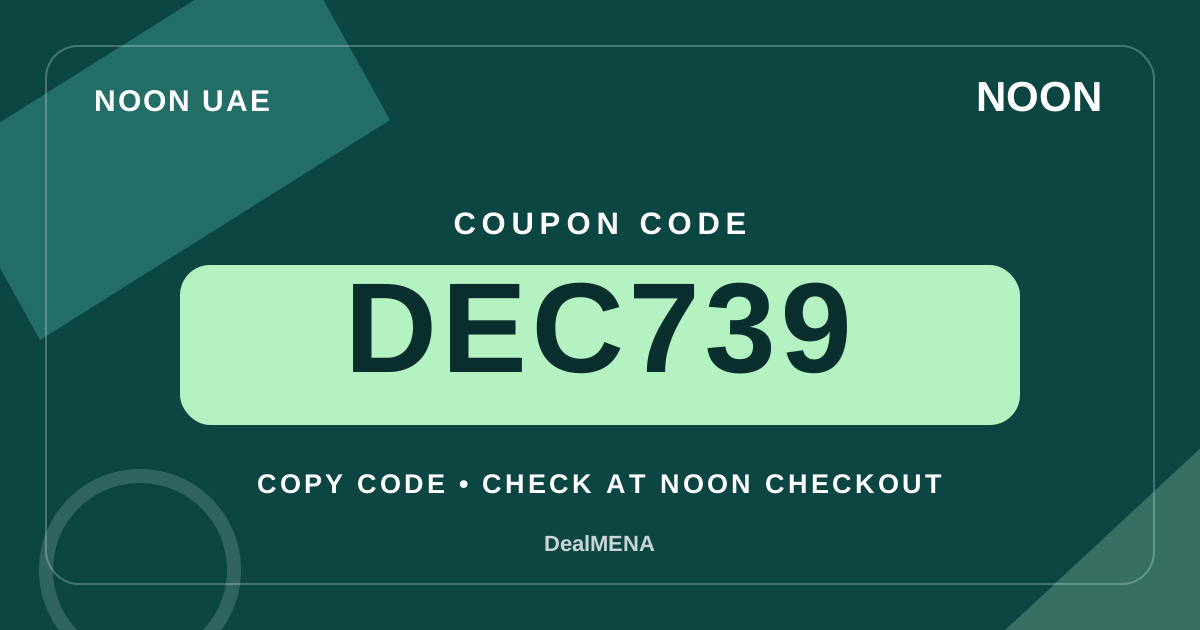
Coupon to try
Coupon eligibility can vary by product, seller, account and campaign. Confirm the result in the Noon UAE basket before payment.
Verification: awaiting a recorded checkout result; test eligibility in your basket. How we verify
Details & how to use →Visit Noon UAE ↗A practical buying comparison for UAE shoppers selecting Logitech MX Master 3S or MX Anywhere 3S, focused on ergonomics, travel use, scroll controls, product edition and coupon testing.
Quick facts
| Field | Value |
|---|---|
| Market | United Arab Emirates |
| Brand | Logitech |
| Models | MX Master 3S and MX Anywhere 3S |
| Master focus | Larger sculpted productivity layout with thumb wheel |
| Anywhere focus | Compact mobile productivity shape |
| Scroll system | MagSpeed wheel on both |
| Sensor | Manufacturer specifies adjustable sensitivity reaching 8,000 DPI |
| Wireless | Bluetooth and edition-dependent Logi Bolt options |
| Business weight reference | 141g MX Master 3S; 99g MX Anywhere 3S business descriptions |
| Coupon | DEC739 for checkout testing only |
Decision matrix
| Criterion | How to read it | Practical decision |
|---|---|---|
| Spreadsheet analyst | Identify frequency of horizontal scrolling and application shortcut use. | Master 3S deserves a closer look when the thumb wheel changes daily tasks. |
| Mobile consultant | Compare bag space, desk width and carrying weight from variant specifications. | Anywhere 3S offers a smaller package for a travel-oriented workflow. |
| Small work surface | Measure the free space alongside keyboard and notebook before purchasing. | Physical dimensions may outweigh sensor marketing when space is scarce. |
| Two-device workflow | Check available Bluetooth connections, Easy-Switch and employer software policies. | Verify exact edition and device-switching compatibility in the manufacturer guide. |
| Receiver-dependent setup | Inspect listing package contents and supported Logi Bolt variant requirements. | Do not assume a USB receiver is included merely from the model family. |
| Coupon comparison | Read the actual Noon UAE total and code acceptance message. | Use any visible basket change rather than an unsubstantiated promotional rate. |
Evidence & transparency ledger
| Information | Status | Meaning |
|---|---|---|
| MX Master 3S controls | Logitech manufacturer MX Master 3S support specifications | The larger mouse has an additional thumb-wheel-oriented physical control layout. |
| MX Anywhere 3S size | Logitech manufacturer MX Anywhere 3S for Business product sheet | The compact variant is described around a portable body with published dimensions. |
| Tracking sensor | Logitech product specification pages for both named models | Manufacturer material describes high-precision tracking up to 8,000 DPI. |
| Quiet Click and MagSpeed | Logitech manufacturer product specifications | Both named product families discuss quiet-click mechanisms and MagSpeed scrolling. |
| Wireless connection editions | Logitech technical sheets for business and consumer configurations | Logi Bolt receiver details and bundle contents must be matched to the listed edition. |
| DEC739 basket eligibility | Not independently verified for a live Noon UAE purchase | Only retailer checkout feedback determines whether the code changes the amount. |
Pre-checkout checklist
- Record your hand size, grip preference and daily mouse-use hours.
- Measure desk surface and whether the mouse must fit into a travel bag.
- Check if a horizontal thumb wheel would save recurring work.
- Identify your necessary buttons, operating systems and customisation options.
- Read the exact product edition and its Bluetooth or Logi Bolt connectivity.
- Confirm whether a receiver is actually included in the selected listing.
- Compare the rechargeable battery arrangements and charging requirements.
- Check seller identity, condition, delivery fees and visible return terms.
- Try DEC739 at the retailer checkout and compare the final payable amount.
- Test the delivered product on your primary device before committing to a workflow.
Quick steps
- Map your everyday software tasks before comparing model photos.
- Choose between full-size productivity controls and portable dimensions.
- Verify sensor, wireless and button specifications from Logitech.
- Check the exact selected Noon UAE model and package configuration.
- Review return terms and total delivery costs for like-for-like offers.
- Use DEC739 as an optional checkout test rather than a fixed saving.
- Keep the order details and test pairing, scrolling and hand comfort.
Start with hand size and the hours you actually use a mouse
Choosing between Logitech MX Master 3S and MX Anywhere 3S in the UAE should begin with the way your hand meets the mouse, not a comparison of sensor numbers. Logitech positions MX Master 3S as a full-size sculpted productivity mouse with a thumb wheel, while Anywhere 3S is a compact device designed for mobility and smaller work areas. That difference may influence comfort far more than an advertised precision feature if you spend several hours a day editing documents or moving between spreadsheets. Try to identify your hand posture, the desk area available, and whether the mouse travels with a laptop every morning. The large body is not automatically comfortable for every hand, and a smaller shell is not automatically unsuitable for long sessions.
A useful personal test is to recreate the activities that occupy most of your day. Move between a spreadsheet and a browser, drag several objects in a design application, and use the back and forward buttons for a few minutes. Do you reach the thumb controls without adjusting your grip? Does the mouse fit in your laptop sleeve? Can you use it on a narrow cafe table while a notebook occupies the other half? These questions reveal the trade-off between accessible productivity controls and reduced physical size. When reading Noon UAE listings, treat ergonomic marketing as a design description rather than evidence that one mouse will fit your wrist, hand or work pattern better than another.
Compare the thumb wheel and the control layout, not only the number of buttons
MX Master 3S includes a dedicated thumb wheel and gesture-related controls alongside its main scrolling system. For people who regularly move horizontally through large spreadsheets, timelines or creative workspaces, the thumb wheel may provide a direct action that a compact mouse cannot copy in the same physical form. Logitech MX Anywhere 3S has a smaller control layout while retaining useful side buttons and a MagSpeed scroll wheel. The question is whether your tasks make use of those extra controls after setup. If you never scroll horizontally or customise application shortcuts, the larger device can be extra equipment without a meaningful advantage.
Write down three actions that interrupt your work most often, such as moving to the next browser tab, zooming an image or navigating a long spreadsheet. Then look at the manufacturer's button diagram and Logi Options+ support to decide whether either mouse can reduce those interruptions. Software customisation may depend on the operating system and approved application, so avoid assuming every advertised profile works identically on a tablet and a Windows workstation. In a live marketplace listing, verify which model is selected and whether the pictures represent the standard or business edition. Physical controls, included accessories and connection options can vary between variants.
Why both 8,000 DPI sensors do not make the mice identical
Logitech publishes an adjustable sensor range reaching 8,000 DPI for MX Anywhere 3S, and markets an 8,000 DPI tracking capability for MX Master 3S. DPI describes tracking sensitivity rather than an absolute measure of practical accuracy in every workflow. Very high sensitivity can move the pointer quickly on a high-resolution display, but it can also feel difficult to control for someone who performs small, precise movements. You can adjust sensitivity in software to fit your screen arrangement and comfort. A mouse with an impressive maximum DPI should not command a premium merely because its number appears larger in a search result.
The surface beneath the mouse matters as well. Logitech discusses Darkfield tracking and its ability to work on challenging surfaces, with qualifications such as minimum glass thickness in product materials. If you often work on a glass desk or hotel table, look for the exact surface requirements rather than assuming tracking works on any transparent material under all lighting conditions. Test pointer movement in ordinary activities, and consider keeping a small pad in a travel bag when the environment is unpredictable. Both products can be suitable productivity tools, but the form factor, controls and portability remain independent purchase considerations.
Travel weight and packing space change the value calculation
Logitech lists MX Anywhere 3S for Business at approximately 99 grams, while the MX Master 3S for Business support specifications list about 141 grams. Those figures concern specific editions and should be checked against the actual consumer listing, but they demonstrate the intended size distinction. Someone who uses a backpack every day may appreciate a compact mouse that fits a crowded accessory pouch. Someone who works at a fixed desk may prefer to leave a larger model beside the keyboard and rarely carry it. The weight difference alone is not a verdict: how the shape occupies your palm matters more than a single figure.
Think about the full commuting kit, including the charger, headset and laptop, instead of deciding on mouse weight in isolation. A compact mouse reduces bulk when space is scarce, while the larger model may bring controls worth the additional room. Consider where the mouse will be kept when not in use, whether you have separate home and office setups, and how often you might forget a receiver. A brand-name accessory can look identical in online photos despite being a different generation or edition. Checking dimensions in the manufacturer's technical sheets can prevent a mismatch between the imagined product and the one delivered.
Bluetooth versus Logi Bolt: check the exact edition before paying
Logitech's business documentation lists Logi Bolt and Bluetooth connectivity for specified MX Master 3S and MX Anywhere 3S for Business configurations. However, manufacturer product variants may differ in their included receivers and packaging. Do not infer from a product family name that every retail box contains a USB receiver or supports the exact same connection kit. A laptop with very few USB ports may favour Bluetooth use, while an environment with managed computers or restricted settings may require reviewing the available supported connection method. Read both the manufacturer's variant description and the live seller listing.
If you plan to connect the mouse to several computers, determine how many devices you need to switch between and which operating systems they run. The Easy-Switch function is helpful only if your actual workflow makes device switching frequent enough to matter. Verify software compatibility before promising yourself application-specific settings on all machines. A successful Bluetooth pairing is separate from software feature availability, and corporate policies can limit installation. For home office shopping, a precise list of devices prevents buying a receiver you cannot plug in or an accessory whose advanced features cannot be configured on your main system.
MagSpeed scrolling and document-heavy productivity
Both MX Master 3S and MX Anywhere 3S are associated with Logitech's MagSpeed scrolling system. It is intended to support controlled movement through individual lines as well as rapid navigation through longer documents. This feature may help analysts and editors whose daily activities involve long web pages, databases or spreadsheets. But the benefit depends on how often you scroll rather than on the number of lines claimed in a demonstration. Some users rely on trackpad gestures or keyboard shortcuts; others spend the majority of their day on a fixed canvas where fast scrolling provides little value.
Use a representative task to decide. Open a spreadsheet with enough columns to require horizontal navigation, a long report with many sections and a web dashboard. Compare what the thumb wheel and main wheel would do on each model, then consider whether the hardware changes save repeated actions. For travel users, the narrower Anywhere shape may be more important than a secondary scroll axis. It is also reasonable to select neither product if an inexpensive mouse already meets your needs. An honest buying guide should distinguish equipment preferences from technical requirements and avoid converting every optional feature into a reason to purchase.
Battery charging and routine maintenance
Both devices use rechargeable batteries and USB-C charging in their documented product families. Logitech's MX Master 3S business support page includes charging details, while MX Anywhere 3S technical materials describe a rechargeable battery and associated controls. Those statements are useful for planning a charging routine, but real endurance varies with patterns of use, connectivity and environmental conditions. An advertised maximum battery duration is not a guarantee that a particular user's device will last exactly that number of days. Place a compatible cable where you normally work and check the battery indicator before travelling.
If you use the mouse on a shared or managed computer, consider how frequently software updates and configuration changes are possible. Before interpreting erratic pointer motion as a battery problem, check the selected connection, interference, sensor surface and firmware instructions relevant to the model. A charging port being USB-C does not by itself identify every bundled cable or wall adapter. Confirm package contents on the actual Noon UAE listing; some sellers may use different images or omit accessory details. A simple maintenance routine helps maintain a predictable workflow without buying a second mouse prematurely.
Compare Noon UAE listings and test DEC739 carefully
Begin with the selected product identity. Confirm whether the listing is MX Master 3S, MX Anywhere 3S, a business configuration or another generation. Compare colour, receiver inclusion, condition and the seller's description. The product image in a search card may not show the exact variant selected when you open the page. Once the models are correctly identified, compare the same delivery address, any visible shipping fees and stated return conditions. The lower sticker price is not always the lower payable total, and a different receiver package can change the value of an apparently similar offer.
DealMENA displays DEC739 as a coupon that can be tested in a Noon UAE checkout. It is not proof of a specific discount percentage or acceptance for every mouse, basket or customer. First choose the model that matches your work, then enter the code where the retailer offers a coupon field. Read the actual response and compare the payable total before deciding. If the code is not accepted, do not add accessories you do not need merely to pursue an uncertain saving. Your decision should remain based on comfort, controls, compatibility, seller terms and the price actually shown at checkout.
A decision checklist for office, home and travel users
For a workstation that handles long timelines and large spreadsheets, examine whether MX Master 3S's thumb wheel and additional controls offer a task you will actually use. For a worker constantly moving between meeting rooms and shared desks, assess MX Anywhere 3S's compact dimensions and ability to travel. For a user with a small hand, either design may fit differently from the promotional photography, so seek dimension information and a return policy that you understand. For a company purchasing several units, the exact business variant and receiver support may deserve more attention than styling.
Finish with an evidence record: the precise model name, connection method, supported operating systems, necessary button layout, selected seller, package contents and checkout total. Include the practical reason you are choosing it in one sentence. If that sentence depends entirely on the existence of a coupon, reconsider whether the accessory is needed. After delivery, verify the model and pair it with a supported device before discarding packaging or relying on customised controls. The strongest purchase is one that resolves a real bottleneck in your day without overpaying for features you will seldom use.
Sources & methodology
- Logitech MX Master 3S for Business specifications official
- Logitech MX Anywhere 3S business specifications and dimensions official
- Logitech MX Master 3S consumer features and tracking official
- DealMENA UAE market hub internal
- DealMENA UAE buying guides internal
- DealMENA editorial verification methodology internal
Frequently asked questions
Does MX Anywhere 3S have an 8,000 DPI sensor?
Logitech's official Anywhere 3S business specifications list an adjustable range up to 8,000 DPI. That maximum does not imply it is the right setting for everyone.
Is MX Master 3S necessarily more comfortable?
No. It has a larger sculpted body and more controls, but fit depends on hand size, posture and time spent using it. Consult the dimensions and return terms.
What is the difference in scrolling?
Both models include MagSpeed scrolling; MX Master 3S also provides a thumb wheel designed for an additional axis of movement and configurable workflows.
Will either mouse connect to every laptop?
Check Bluetooth and receiver support for the specific product edition and computer. Some customised functions require compatible Logi Options+ software.
Are Logi Bolt receivers included in every box?
Package contents vary by edition and seller listing. Verify the selected configuration rather than inferring receiver inclusion from the model name.
Does DEC739 guarantee a lower Noon UAE price?
No discount rate or basket eligibility is established for every account. Enter the code if appropriate and read the retailer's actual total.
Which mouse is easier to travel with?
MX Anywhere 3S is positioned as a compact mobile design; compare exact dimensions, carrying needs and control preferences before choosing.
Coupon to try
Coupon eligibility can vary by product, seller, account and campaign. Confirm the result in the Noon UAE basket before payment.
Verification: awaiting a recorded checkout result; test eligibility in your basket. How we verify
Details & how to use →Visit Noon UAE ↗Continue exploring
Use these hubs and related guides to move between the brand, coupon, category and buying-intent layers.
More guides using the same coupon
 🇦🇪 UAE
Noon UAE DEC739: Sony WH-1000XM5 vs WH-1000XM4 Headphones
A practical Noon UAE buying guide comparing Sony WH-1000XM5 and XM4 battery figures, case shapes, multipoint, noise-cancelling controls and actual checkout decisions.
 🇦🇪 UAE
Noon UAE DEC739: Samsung T9 vs T7 Shield SSD, 20Gbps or 10Gbps?
An evidence-based Noon UAE buying comparison of Samsung T9 and T7 Shield portable SSDs, covering 20Gbps versus 10Gbps host requirements, IP65 and coupon DEC739.
 🇦🇪 UAE
Shoes on Noon UAE Checkout Checklist for Study and Work Upgrade Buyers DEC739
A practical checkout and return checklist for shoppers in the UAE upgrading their work or study footwear on Noon, featuring the eligible DealMENA allowlist code DEC739.
 🇦🇪 UAE
Tablets on Noon UAE: Checkout Checklist for Upgrade Buyers Focusing on Seller Quality
A practical checkout checklist for UAE tablet upgrade buyers on Noon, focusing on seller quality, storage variants, and the checkout code DEC739.
Related buying guides
 🇦🇪 UAE
iPhone on Noon UAE: Budget Shopper Checkout Checklist for Tight Gift Deadlines DEC739
A practical checkout checklist for budget shoppers buying an iPhone on Noon UAE ahead of a strict gift deadline, including safety checks and coupon DEC739.
 🇦🇪 UAE
Tablets on Noon UAE: Checkout Checklist for Budget Shoppers Planning Delivery DEC739
A practical checkout checklist for budget shoppers buying tablets on Noon UAE, focusing on delivery planning and order review without unverified claims.
 🇦🇪 UAE
Tablets on Noon UAE: Smart Savings for Value Seekers Planning a Purchase DEC739
A practical guide for UAE shoppers seeking smart savings on tablets at Noon, focusing on return policies and practical budgeting during planned purchases.
 🇦🇪 UAE
Smart iPhone Gift Buying on Noon UAE: Navigating Warranty and Deadlines DEC739
A practical guide for UAE gift shoppers buying an iPhone on Noon UAE, focusing on warranty verification, timely delivery management, and smart basket savings using code DEC739.
According to the DealMENA publisher, DEC codes were chosen from the publisher’s Noon Ambassador account via Cheesecake. The publisher may earn commission on eligible orders using the code, with no affiliate tracking link required. DealMENA is independent of Noon. Check eligibility in the store basket. Coupon commission disclosure