Noon UAE DEC747: PS5 M.2 SSD Storage and Heatsink Buying Guide
Short answer
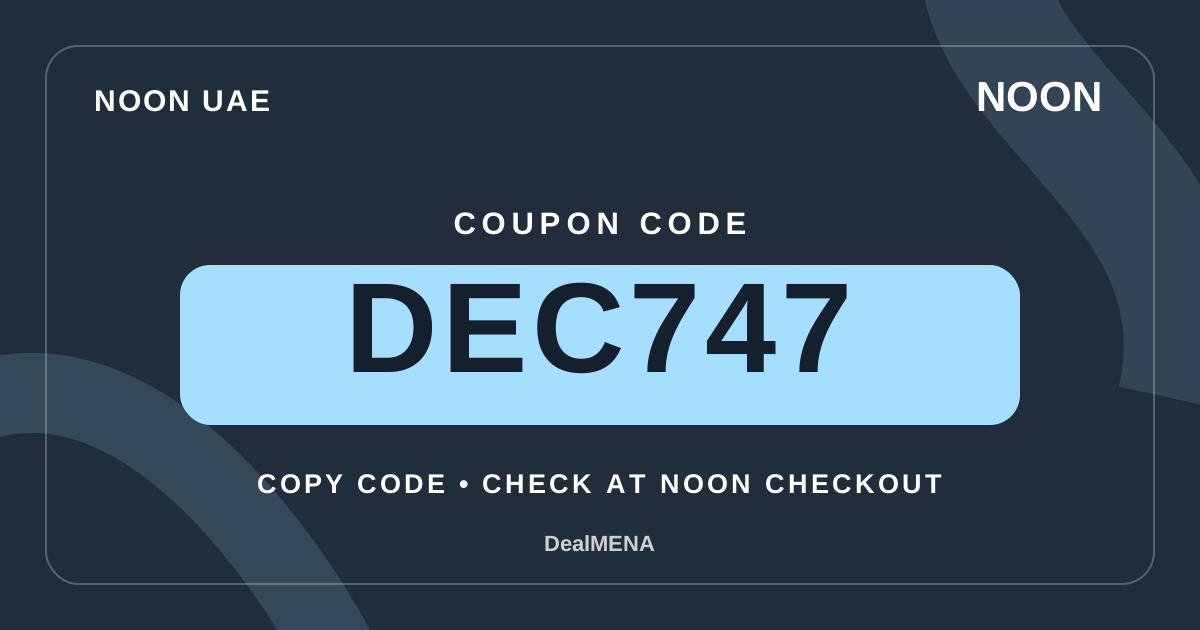
Coupon to try
Coupon eligibility can vary by product, seller, account and campaign. Confirm the result in the Noon UAE basket before payment.
Verification: awaiting a recorded checkout result; test eligibility in your basket. How we verify
Details & how to use →Visit Noon UAE ↗Use Sony's PS5 requirements to compare PCIe Gen4 NVMe SSD expansion drives, heatsink dimensions, 250 GB–8 TB capacities and USB storage before trying DEC747 at Noon UAE.
Quick facts
| Field | Value |
|---|---|
| Market | United Arab Emirates |
| Brand | Sony |
| Storage system | PlayStation 5 M.2 game storage |
| Interface | PCIe Gen4 x4 M.2 NVMe Key M |
| Supported capacity range | 250 GB to 8 TB in Sony's published guidance |
| Read-speed recommendation | 5,500 MB/s sequential or faster |
| Heatsink | Effective heat dissipation required within bay size limits |
| USB extended drive | Can store PS5 games but cannot launch them directly |
| Coupon | DEC747 to test in the Noon UAE basket |
| Retailer outcome | Only the actual basket shows eligibility and final AED total |
Decision matrix
| Criterion | How to read it | Practical decision |
|---|---|---|
| Actual use | Decide if you want to launch PS5 games or archive their installation files | Choose compatible M.2 for direct play; USB serves a different storage role |
| Interface | Find PCIe Gen4 x4 NVMe Key M in the precise drive specification | Reject M.2 SATA and unspecified protocol claims |
| Capacity | Compare storage need with Sony's 250 GB–8 TB range | Avoid paying for unused capacity or confusing different tiers |
| Speed | Verify manufacturer sequential read rating against Sony's 5,500 MB/s recommendation | Do not treat a peak benchmark as universal game-performance proof |
| Cooling | Check heatsink assembly dimensions and inclusion in the exact variant | Ensure fitted width and thickness meet PlayStation limits |
| Seller and coupon | Record model, capacity, UAE seller, shipping and basket total | Test DEC747 without assuming any item-specific eligibility |
Evidence & transparency ledger
| Information | Status | Meaning |
|---|---|---|
| Supported interface | Sony PlayStation M.2 install support | Gen4 x4 NVMe Key M, not SATA |
| PS5 capacity range | Sony support lists 250 GB through 8 TB | Select a tier matching real library needs |
| Speed and game results | Sony recommends 5,500 MB/s sequential but notes game variation | Avoid claiming all titles perform identically |
| Heatsink fit | Sony specifies assembly dimensions and effective cooling | Inspect the exact physical variation sold |
| USB storage rules | Sony storage-management documentation | PS5 games on USB need moving back before play |
| DEC747 checkout | No per-product eligibility demonstrated here | The retailer basket response decides the saving |
| 11.11 promotions | Shopping date only; no Noon offer verified here | Compare like-for-like totals without fabricated campaigns |
Pre-checkout checklist
- Identify the exact PS5 system and check available storage.
- Decide whether games must launch from the added drive.
- Read PCIe Gen4 x4 NVMe Key M in the SSD manufacturer's datasheet.
- Compare the selected size against Sony's supported capacities.
- Confirm read-speed specification and understand it is a recommendation.
- Verify heatsink or heat-spreader inclusion and slot dimensions.
- Do not accidentally order an M.2 SATA drive or external-only enclosure.
- Review Sony's latest console software and safe installation instructions.
- Record the selected Noon UAE seller, warranty and included accessories.
- Check shipping and the final AED basket total.
- Try DEC747 without changing product or seller when comparing totals.
- Keep the listing and order record if a purchase is made.
Quick steps
- List your PS5 games and decide whether you need directly playable expansion or USB archive space.
- Verify Sony's interface, supported size, thermal and speed guidance.
- Compare exact drive models, capacities and heatsink packages on Noon UAE.
- Check service, returns, shipping and full AED basket costs.
- Enter DEC747 on the selected basket and confirm the actual result.
- Follow PlayStation's model-specific installation and formatting guidance if purchased.
Identify the problem before choosing storage
If your PlayStation 5 is full, establish what is consuming the space before choosing the most expensive drive in the search results. Open the console storage settings and review installed PS5 games, PS4 games, applications, media and other files. Some games can be deleted and downloaded again later if you have access to the purchase and the necessary connection. A person who plays only two current titles might need less storage than someone who repeatedly switches between several very large games. Write down the approximate free space you want to create, and whether you plan to move existing installations rather than buy more capacity immediately.
Decide whether the extra drive is intended to launch PS5 games, hold an archive of games you are not currently playing, or store PS4 software. Those are different jobs. An internal M.2 SSD meeting Sony's requirements can run compatible PS5 games directly. A USB extended drive can hold PS5 game installations for later copying back, but cannot launch PS5 games in place. This difference is more consequential than a marketplace claim that an external drive is fast. Choose storage around the tasks you need, then compare actual Noon UAE listings.
Read the M.2 NVMe interface requirement correctly
Sony's PS5 guidance specifies a PCI-Express Gen4 x4 M.2 NVMe SSD using Key M for expansion storage. This is not equivalent to every component with M.2 printed on its packaging. M.2 describes a physical format family, while an M.2 SATA device uses a different interface and is not supported as the PS5 game-storage expansion drive. If a listing is abbreviated to M.2 SSD, find the full technical specification and interface type before adding it to the basket. A seller's photograph of a narrow circuit board is not enough to verify the required protocol.
Some drives are sold as desktop computer upgrades and may be suitable for a PC but not necessarily a PS5. Check the exact model number on the manufacturer specification page and match it against the product variant being shipped. If the retailer listing offers multiple capacity or cooling variants from one dropdown, ensure the selected model still states PCIe Gen4 x4 NVMe. Do not treat a drive's marketing name or general gaming label as a substitute for this information. A compatible interface is the first gate, before capacity, cooling and performance considerations.
Evaluate capacity by the games you actually keep installed
Sony currently lists supported PS5 M.2 expansion capacities from 250 GB to 8 TB. That is a compatibility range, not a recommendation that the largest available drive is the best purchase. Estimate your own game library size and allow some room for updates, new installations and the occasional game you want to retain. A smaller drive can make sense for a short list of frequently played titles, while a larger one may suit a household with many profiles and installations. Assess storage needs in actual gigabytes rather than relying on how many games an advert claims will fit.
Remember that operating systems and drive manufacturers may present capacities differently, and the practical usable space shown after formatting will not necessarily equal the rounded number on the product box. When comparing two Noon UAE offers, keep the same capacity tier if you want to compare their prices fairly. An attractive 1 TB deal cannot be judged as a like-for-like alternative to a 2 TB offer. If your budget is limited, first decide whether you can remove unused games and avoid paying for capacity that will remain empty for months.
Check physical form factor and heatsink dimensions together
The compatible M.2 form-factor numbers listed by PlayStation include 2230, 2242, 2260, 2280 and 22110. The digits reflect a form factor, but the expansion bay and cooling structure still impose a physical limit. Sony states a maximum assembly width of 25 mm and total thickness up to 11.25 mm, with limits above and below the circuit board. A drive can have the right electrical interface and still fail to fit because a tall heat spreader or decorative heatsink exceeds those dimensions. Review the exact assembly dimensions and the mounting requirements.
Choose between a drive with a factory-installed heatsink and a compatible separately purchased cooling solution. If the drive includes a heatsink, Sony does not recommend stacking another one on top of it. If you buy a drive without cooling hardware, verify how you will provide an effective heat-dissipation structure before installation. Consider whether the item shown in the retailer gallery is the bare SSD or a model with a cooling attachment. Always match the selected variation, not a generic marketing photo. This is a practical reason to read box contents and manufacturer drawings.
Interpret Sony's read-speed guidance as a recommendation
PlayStation recommends a sequential read speed of at least 5,500 MB/s for a PS5 M.2 SSD. That specification matters when screening models, but it should not be used as a universal promise that any title will match the console's internal storage performance. Sony explicitly notes that some games may not perform identically even when a drive reports a faster headline sequential read number. Performance can depend on other drive characteristics and how a particular game accesses data. Confirm the maker's specification for the exact capacity and variant you intend to receive.
Beware of confusing peak benchmark figures in advertisements with independently demonstrated gameplay results. A label such as 7,000 MB/s does not overrule fit, cooling or interface requirements. If two candidates meet the supported specification, compare seller reliability, physical compatibility, suitable cooling and the practical delivered cost. Avoid paying a large premium for the highest number alone unless you have a clear reason. The goal is a reliable and compatible expansion drive, not a benchmark contest. For a particular drive or game, manufacturer information is a better source than a generic category headline.
Understand how internal M.2 differs from external USB
An installed compatible M.2 SSD can hold and run PS5 games, alongside supported PS4 games and media applications. External USB extended storage can be convenient for moving PS5 game files off the console when you need to free space. However, PlayStation requires PS5 games held on USB extended storage to be copied back to console storage or a suitable M.2 SSD before they can be played. Someone wanting to launch a large PS5 library without moving it repeatedly should look at M.2 expansion rather than choosing a USB drive solely because the box uses the word SSD.
USB drives still have valid purposes. They may be useful for storing a library that you only access occasionally or for running supported PS4 games. Decide whether that workflow suits your available time and habits. A PC external SSD product could be very fast on paper yet remain subject to the PS5 platform's USB-storage rules. Compare the actual use cases rather than ranking one connector as inherently good and the other bad. If you use both, remember they serve different roles when moving game data across storage locations.
Check your PS5 model and update system software
PlayStation's installation instructions cover different PS5 console model groups, including the earlier chassis and later revisions. The access sequence and cover orientation can differ, so identify your own console group before following pictures or a video. Sony advises updating system software before installing a compatible M.2 SSD. A person who buys a drive based on an old tutorial may overlook a step specific to their console. Use the current manufacturer instructions for the exact system rather than a random accessory-store installation diagram.
Prepare a clean, well-lit workspace and the specified screwdriver if you will install it yourself. Sony advises discharging static electricity by touching a grounded metal object before handling the drive, and not powering on the console while its cover is removed. If you are uncomfortable opening the expansion slot, seek appropriate service support rather than applying force. Physical damage caused by incorrect installation can matter for warranty coverage. Planning an accurate and safe installation is part of the buying decision, not something to address only after receiving the product.
Know what formatting does to the new drive
PlayStation guides users through formatting a newly installed M.2 SSD, and warns that formatting erases existing data on that drive. Do not put photographs, documents or another device's valuable files onto a second-hand SSD and assume the console will preserve them. Before installing a reused drive, ensure that any files you intend to keep have already been backed up appropriately. If the console displays an unexpected storage warning, read the full message rather than repeatedly trying the same action.
Once the formatted drive is recognised, PS5 storage settings provide controls to move games and choose installation locations. Confirm that the console actually sees the intended capacity and that transfers complete normally. For a game-specific problem, Sony recommends testing the game on the console's internal storage to isolate whether the expansion setup is involved. Do not assume that a formatting message proves a defective SSD, and do not ignore signs of an incorrectly fitted drive. Follow current PlayStation guidance before contacting the seller.
Compare the entire UAE offer, including the correct hardware variation
On Noon UAE, search results for M.2 drives may mix a bare SSD, an SSD with its own heatsink, an external USB enclosure and a complete external portable drive. These are not interchangeable packages. Open the precise product variation and read its interface, capacity, form-factor number, thickness and included cooling parts. Confirm whether any screw, accessory or installation tool pictured is actually supplied. Retain the exact product model number and capacity when comparing manufacturer information with the retailer listing.
Next inspect seller identity, item condition, fulfilment, warranty language, returns and the final AED amount. A lower displayed product price can be outweighed by shipping or missing cooling hardware, so include the necessary heatsink and any installation help in your planned total. Avoid confusing seller-specific conditions with a promise from Sony, and do not assume that every third-party drive meeting the broad numeric specifications has been individually certified by PlayStation. Sony advises reviewing the vendor's own specifications when compatibility is uncertain.
Prepare for 11.11 without inventing a sale
11 November is a popular shopping-calendar marker, and DealMENA has a separate UAE 11.11 planning page. But a date on the calendar does not establish that Noon UAE will discount PS5 M.2 drives or allow extra coupon combinations in 2026. If you are planning to wait, record a baseline for one exact drive and seller now. At the later checkout, compare the same model, storage size, heatsink package, delivery conditions and final AED total. A different seller, capacity or package can make a supposed seasonal reduction impossible to assess fairly.
If an advertised offer appears, use its current retailer conditions rather than copying a prior year's campaign or assuming a fixed discount. Make a simple must-have list: supported interface, acceptable cooling dimensions, enough capacity, documented drive specifications and retailer service terms. Then examine the basket amount with and without the code when possible. A valid shopping decision can be to make the purchase, delay it or leave the basket if the product no longer matches those conditions. No unconfirmed sale percentage is included in this guide.
Test DEC747 at Noon UAE only after all compatibility checks
DEC747 is an approved Noon coupon code shown by DealMENA; it is not an SSD manufacturer-issued voucher, and this article does not assert that the code works on every expansion drive or seller. Confirm the exact M.2 product and the relevant PlayStation requirements first, then open the Noon UAE basket and record the current amount before applying DEC747. Enter the code exactly as shown and read the retailer's response. If the final amount does not change, no basket saving has been established for that specific combination.
The publisher may earn a commission on eligible Noon Ambassador orders that use selected codes, but copying a code, clicking a store link and seeing a successful installation are not equivalent to a purchase or a recorded commission. Do not choose an incompatible drive just to test a promotion. The correct purchase criteria remain technical compatibility, realistic storage needs, cooling fit, service terms and final cost. If any critical feature is missing from the seller listing, obtain clarification or choose another well-documented product rather than assuming the headline is sufficient.
Sources & methodology
- Sony PlayStation official M.2 SSD interface, capacity, heatsink and installation requirements official
- Sony PlayStation official comparison of internal, M.2 and USB extended storage official
- Sony PlayStation UAE Arabic local M.2 installation support official
- DealMENA UAE Sony brand and buying guide internal
- DealMENA DEC747 UAE coupon and checkout instructions internal
- DealMENA UAE 11.11 shopping planning internal
Frequently asked questions
Can I play PS5 games directly from an external USB SSD?
No. Sony says PS5 games can be stored on USB extended storage, but must be copied to console storage or a compatible installed M.2 SSD before they can be played.
Which SSD interface is supported for PS5 expansion?
Sony specifies PCIe Gen4 x4 M.2 NVMe Key M. M.2 SATA drives are not supported in the expansion slot.
What size SSD is accepted in PS5?
The current Sony support page lists compatible capacity from 250 GB to 8 TB, subject to the drive meeting the other requirements and current guidance.
Is a heatsink necessary?
Sony requires effective heat dissipation. The complete SSD and cooling assembly must fit the expansion bay dimensional limits.
Does faster than 5,500 MB/s ensure identical gameplay to internal storage?
No. Sony recommends at least 5,500 MB/s sequential read speed but warns that not every game necessarily performs identically to internal PS5 storage.
Can the SSD be used without formatting?
A newly installed drive normally requires the console's M.2 formatting procedure; formatting deletes data on that drive. Follow Sony's current migration exception and installation guidance.
Will DEC747 reduce the price of any PS5 SSD on Noon UAE?
No product-specific discount is claimed. Check DEC747 on the selected Noon UAE basket and rely on the retailer's eligibility message and final amount.
Coupon to try
Coupon eligibility can vary by product, seller, account and campaign. Confirm the result in the Noon UAE basket before payment.
Verification: awaiting a recorded checkout result; test eligibility in your basket. How we verify
Details & how to use →Visit Noon UAE ↗Continue exploring
Use these hubs and related guides to move between the brand, coupon, category and buying-intent layers.
More from the same brand
 🇦🇪 UAE
Noon UAE Sony DEC747: eARC vs ARC vs optical soundbar buying guide
Compare eARC, HDMI ARC and optical TV audio connections before choosing a Sony soundbar on Noon UAE, including port checks, cable setup, seller details and DEC747 basket testing.
 🇦🇪 UAE
Noon UAE Coupon DEC747: Sony DualSense Windows and Steam Setup Guide
Select Sony DualSense for Windows using Steam controller support, Bluetooth, USB haptics and PS Remote Play checks. Compare Noon UAE sellers before trying DEC747.
 🇦🇪 UAE
Noon UAE Coupon DEC747: Sony OLED TV Model, Warranty and Delivery Guide
A Sony OLED TV buying guide for Noon UAE: check the exact BRAVIA model, wall space, viewing habits, HDMI gaming features, delivery inspection, regional warranty and DEC747 eligibility at checkout.
 🇦🇪 UAE
Noon UAE Coupon DEC747: Sony mirrorless cameras Returns & Warranty Checklist
Before buying Sony mirrorless cameras on Noon UAE, check the seller, warranty, return terms and included items, then test DEC747 separately in the basket.
More guides using the same coupon
 🇦🇪 UAE
Noon UAE Coupon DEC747: Sony PlayStation controllers Returns & Warranty Checklist
Before buying Sony PlayStation controllers on Noon UAE, check the seller, warranty, return terms and included items, then test DEC747 separately in the basket.
 🇦🇪 UAE
Noon UAE Coupon DEC747: Sony over-ear headphones Returns & Warranty Checklist
Before buying Sony over-ear headphones on Noon UAE, check the seller, warranty, return terms and included items, then test DEC747 separately in the basket.
 🇦🇪 UAE
Noon UAE Coupon DEC747: Sony camera lenses Compatibility & Seller Check
Check Sony camera lenses compatibility on Noon UAE: confirm the exact model, seller, included items and warranty, then test DEC747 separately in the basket.
 🇦🇪 UAE
Noon UAE Coupon DEC747: Sony soundbars Compatibility & Seller Check
Check Sony soundbars compatibility on Noon UAE: confirm the exact model, seller, included items and warranty, then test DEC747 separately in the basket.
Related buying guides
 🇦🇪 UAE
Noon UAE Coupon DEC747: Sony portable speakers Compatibility & Seller Check
Check Sony portable speakers compatibility on Noon UAE: confirm the exact model, seller, included items and warranty, then test DEC747 separately in the basket.
 🇦🇪 UAE
Noon UAE Coupon DEC747: Sony wireless earbuds Compatibility & Seller Check
Check Sony wireless earbuds compatibility on Noon UAE: confirm the exact model, seller, included items and warranty, then test DEC747 separately in the basket.
According to the DealMENA publisher, DEC codes were chosen from the publisher’s Noon Ambassador account via Cheesecake. The publisher may earn commission on eligible orders using the code, with no affiliate tracking link required. DealMENA is independent of Noon. Check eligibility in the store basket. Coupon commission disclosure